
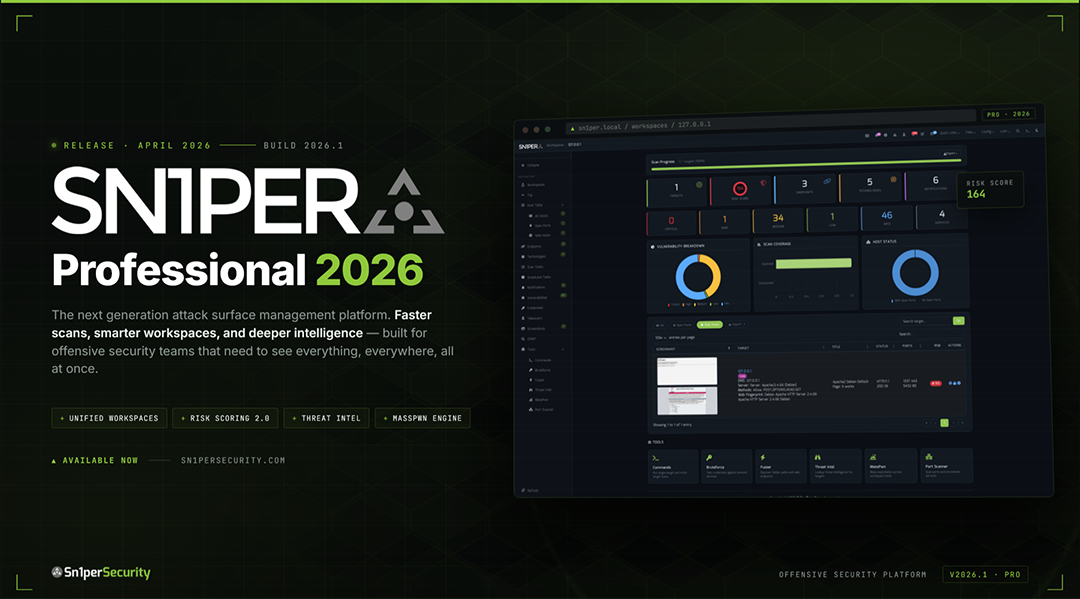

Sn1per Professional 2026 is the largest release since the v10.0 line. The whole stack moved forward: a Docker-first deployment story, a fully rebuilt Bootstrap 5 web UI on the Tabler theme, a new Workspace Navigator, dedicated Workspace and Host Reports, a JSON API v1.0 for programmatic control, an Offcanvas Quick Commands sidebar, expanded advanced modules, a maturing SC0PE vulnerability framework, and a hardened-by-design PHP library stack underpinning all of it.
This post walks through what actually shipped – the capabilities that materially distinguish Pro 2026 from v10, with practical guidance you can act on the same day you upgrade. It is not a reiteration of the marketing page; it is an engineer-friendly tour of every operational change.
Docker-First Deployment
Pro 2026 ships with full Docker support out of the box. The image is built on the Kali Linux rolling base with Apache 2.4, PHP 8.4, SSL, and HTTP Digest authentication baked in – no host-OS contamination, no bare-metal install required for first-time evaluators or air-gapped lab deployments. A docker compose service named sn1per-pro exposes the web UI on port 1338 (mapped to the canonical 1337 internally), depends on a PostgreSQL service, and bind-mounts the shared /sniper/loot directory so scan output persists across container restarts. Privileged mode and custom DNS (10.0.0.1, 8.8.8.8) are pre-configured for the scanner toolchain.
The result: an evaluator can clone the repo and run a single docker compose up to land a fully operational Pro instance in minutes, with reproducible builds across environments.
Modernized Web UI – Bootstrap 5, Tabler, and Dark Mode
The most visible change is a wholesale upgrade of the web UI. Pro 2026 moves from Bootstrap 3.3.7 to Bootstrap 5.3 via the Tabler theme. The legacy accordion Quick Commands panel is replaced by a modern Offcanvas sidebar, freeing the main canvas for data. DataTables 2.x lands with native Bootstrap 5 theming and ships export buttons for CSV, Excel, PDF, and Copy. Chart.js powers the new vulnerability breakdown donuts, scan coverage charts, and host status visualizations. Font Awesome 6 replaces older icon fonts.
A user-toggleable dark and light theme, persisted in localStorage, brings the UI in line with what every operator expects in 2026. Client-side logic moves to a custom sn1per-ui.js bundle (versioned for cache-busting) that is the single source for tab switching, drawer transitions, and asynchronous form submission across every page.
Workspace Navigator
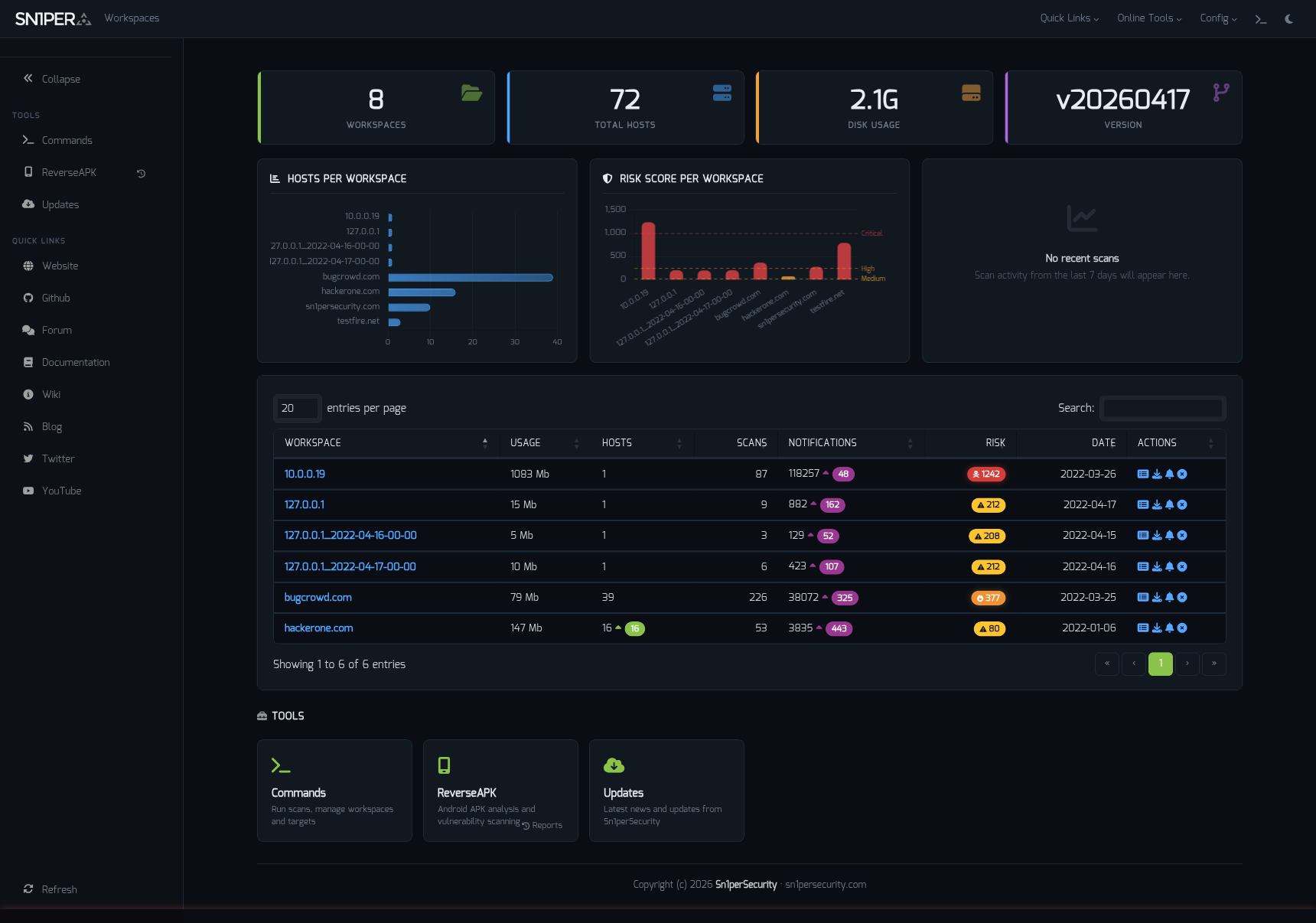
The new workspace-navigator.php dashboard is the first page operators see after login. It lists every workspace with at-a-glance statistics – workspace size, host count, last scan timestamp, risk gauges – and provides direct quick-links into the workspace, the config editor, and the integrated terminal drawer. No more digging through directory listings or SSH’ing into the server to figure out which engagement is which.
Workspace Reports and Host Reports
Two new report surfaces give you per-workspace and per-host detail without leaving the browser:
- Workspace Reports (
workspace-report.php) – per-workspace vulnerability summaries with color-coded severity gauges, scan history and status, custom-finding management, and one-click report generation/export. - Host Reports (
host-report.php) – individual target analysis with vulnerability parsing from the SC0PE format, port enumeration, service identification, technology fingerprinting, and threat intelligence integration.
Both surfaces are export-ready: every table has CSV, Excel, PDF, and Copy buttons wired in.
JSON API v1.0
For the first time, Pro 2026 exposes a documented programmatic interface. api.php implements the JSON API v1.0 with endpoints for workspace and host access, vulnerability queries, scan status, and report cache management. Two authentication modes are supported: existing HTTP Digest credentials (the same identity used by the web UI) and a new X-API-Key header for headless integrations – CI/CD pipelines, SOC dashboards, ticketing systems.
This is the foundation for everything “programmable Sn1per” we will build on top of in future releases.
Scan Modes
The breadth of the scan engine matches the breadth of the engagements operators actually run. Pro 2026 documents the following modes and scan flags in sniper -h, organized by intent:
- Default and stealth:
normal(the default scan profile),stealth(low-noise, throttled). - Discovery:
discoverfor CIDR sweeps,massdiscoverfor distributed CIDR sweeps from a target file. - Port:
portfor a specific port,massportscanfor a target file, plus the-fpflag for a fullportonly sweep. - Web:
web(ports 80 and 443),webporthttpandwebporthttpsfor arbitrary HTTP/HTTPS ports, andwebscanfor an HTTP-only deep scan. - Mass:
massweb,masswebscan,massvulnscan– same web/vulnerability profiles, run across a target list with-f targets.txt. - Aggregate:
airstrikefor a multi-target sweep andnukefor the “everything on” profile (full bruteforce, full port scan, OSINT, recon, and workspace import enabled). - Bruteforce: the
-bflag enables credential testing against discovered services for FTP, SSH, HTTP, SMB, MySQL, PostgreSQL, RDP, and VNC.
Every mode is invokable from the new sidebar workflow or scriptable via server-scan.php – which itself supports option flags and Burp Suite proxy integration for testing through your existing toolchain.
New Operator Switches
Pro 2026 also adds three CLI flags that have been long-requested by daily-driver operators – the kind of small ergonomics that compound over hundreds of engagements:
-v/--verbose– toggles verbose scan output. Every tool the engine invokes now echoes its full command line and progress, so you can see exactly what is running against the target without tailing config files or debug logs.-db/--debug– full debug mode. Enables verbose plus per-step trace output for every module in the scan pipeline. Use this when triaging a failed scan or building a new mode of your own.-rr/--remove-resume-files– clears the resume-state files from previous scans before this one starts. Resume files speed up rescans by skipping completed steps, but sometimes you want a fresh run –-rrgives you that with a single flag instead of manual cleanup underloot/workspace/<name>/scans/.
All three are session-scoped: they take effect for the current scan only, without permanently mutating sniper.conf. Combine them on the same command line as needed (e.g. sniper -t target.com -m airstrike -v -rr).
Offcanvas Quick Commands Sidebar
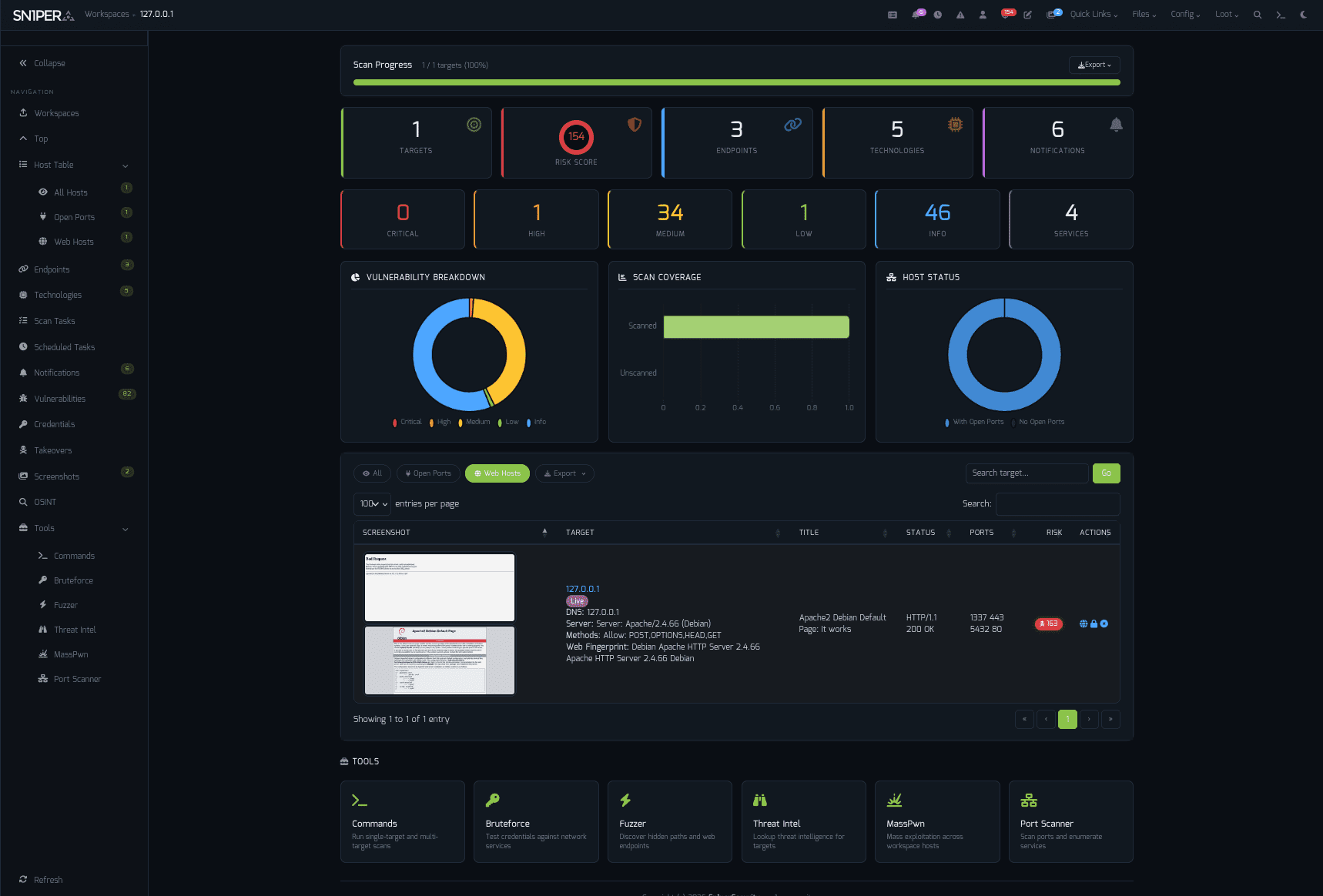
The Quick Commands sidebar is rebuilt from the ground up as an Offcanvas panel that slides in over the main view. Each panel is a self-contained workflow surface:
- Commands – general scan execution against the active workspace.
- Bruteforce – credential testing for FTP, SSH, HTTP, SMB, MySQL, PostgreSQL, RDP, and VNC.
- Fuzzer – web fuzzing with wordlist and payload selection.
- Threat Intel – integrated threat intelligence access.
- MassPwn – mass exploitation interface across the workspace.
- OSINT – open source intelligence controls.
- Scan Tasks – running and queued scan management.
- Scheduled Tasks – recurring scan setup with daily, weekly, and monthly cadences.
- Subdomain Takeovers – takeover detection and reporting.
- Credentials – discovered and stored credential management.
- Vulnerabilities – finding triage and management.
- Notes – per-workspace notes for engagement documentation.
- Change Notifications – alert configuration for surface changes.
The Offcanvas pattern keeps your scan output visible while you queue the next action – a substantial workflow improvement over the old accordion model.
Advanced Modules
Pro 2026 ships five advanced modules, all surfaced in the new UI:
- ReverseAPK – mobile APK decompilation, analysis, and a browser-based upload interface for ad-hoc Android binary review. JADX, APKTool, dex2jar, and libsmali-java are auto-installed.
- MassPwn – a curated exploitation database (
masspwn-modules.txt) and payload repository (masspwn-payloads.txt) for mass-exploitation workflows. - Threat Intelligence – RSS feed aggregation, the CISA Known Exploited Vulnerabilities CSV, and Nuclei template integration.
- Nessus Integration – import and parsing of Nessus scan results so you can correlate Sn1per findings with existing vulnerability management data.
- Burp Suite Integration – configurable proxy endpoint (default
127.0.0.1:8080) so every scan can be routed through your Burp instance for inspection.
SC0PE Vulnerability Framework
SC0PE is the unified vulnerability detection layer underneath the scan engine, and it expanded materially in 2026:
sc0pe.sh– the main SC0PE driver that orchestrates the sub-scanners.sc0pe-active-webscan.sh– active web vulnerability scanning.sc0pe-network-scan.sh– network-layer vulnerability scanning.sc0pe-passive-webscan.sh– passive web reconnaissance for low-noise engagements.static-grep-search.sh– static analysis through curated grep patterns.javascript-analysis.sh– JavaScript code analysis for client-side vulnerabilities.
Each sub-scanner emits a normalized SC0PE-format finding so the workspace and host reports can render them consistently regardless of which scanner discovered them.
Hardened-by-Design PHP Library Stack
Behind every page render is a new central library set under lib/: a bootstrap loader with structured error handling and syslog, dedicated input validation, CSRF token generation and verification, safe HTML output encoding, a file-based cache with TTL for report performance, and a workspace data-access layer that replaces ad-hoc shell calls with audited PHP. Pro 2026 ships with comprehensive input validation and security hardening across the PHP layer – existing customers should plan to upgrade to take advantage of these improvements.
Installation and Infrastructure
The installer (install_pro.sh) automates a known-good base on Kali Linux, Ubuntu, and Debian: PHP 8.4, Apache 2.4, SSL with self-signed cert, HTTP Digest auth, and a randomly generated admin password (stored in pro/data/.admin-password). Systemd Apache hardening overrides land alongside – PrivateTmp and ProtectSystem are tuned so scan tools can read the filesystem without breaking Apache’s isolation guarantees.
The PostgreSQL 18.x compatibility issue is resolved by upgrading the pg gem from 1.5.9 to 1.6.3 or higher during install. Nessus add-on dependencies, ReverseAPK toolchain, Nuclei templates, and Brutex wordlists are all installed without manual intervention.
Documentation Refresh
Pro 2026 ships with seven new documentation surfaces, all published at sn1persecurity.com/documentation:
- Getting Started – Docker and bare-metal quick-start.
- Installation – detailed install walkthrough.
- Configuration – every
sniper.confandsettings.phptunable explained. - Usage – web UI, CLI, and JSON API v1.0 reference.
- Architecture – system architecture and component diagrams.
- Docker – container workflow, volume mounts, compose stacks.
Watch the Demo
See Sn1per Professional 2026 in motion – a 32-second walkthrough of the platform, modules, and workflow.
Getting Started
Pro 2026 is available now. New customers can pick up a license on the Sn1per Professional 2026 product page and follow the installation guide. The getting-started doc walks through your first scan in under twenty minutes.
Free Upgrade for Existing Sn1per Professional Customers
For a limited time, existing Sn1per Professional customers with a valid license can upgrade to Sn1per Professional 2026 free of charge. This is our way of thanking the operators and teams who have been with us through the v9 and v10 lines.
To request your free upgrade, email our support team at [email protected] with the subject line “Sn1per Professional 2026 Free Upgrade Request”. Include your existing license key or order number so we can verify your account and we will get back to you with your 2026 license and migration instructions.
This offer is time-limited and applies to active license holders only. Don’t wait – reach out today.
Questions or enterprise procurement enquiries? Contact our sales team – or browse all editions on the shop page.