
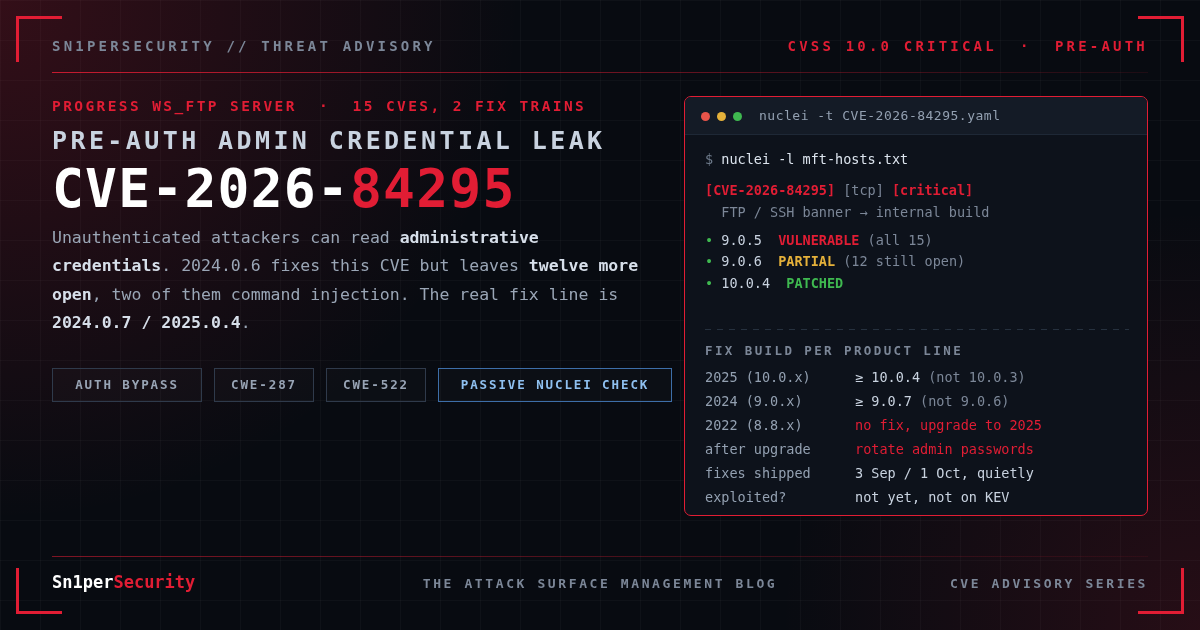

CVE-2026-84295 is a CVSS 10.0 Progress WS_FTP Server vulnerability, an improper authentication flaw that lets an unauthenticated attacker read sensitive information from the server, including administrative credentials. Progress published it on 29 October 2026 with fourteen other WS_FTP Server CVEs, two of them OS command injection flaws. Nothing in the batch is known to be exploited, there is no public proof of concept, and CISA’s assessment reads “exploitation: none, automatable: yes, technical impact: total.” The reason to move anyway is precedent. The last pre-auth WS_FTP vulnerability rated 10.0, CVE-2023-40044, reached CISA’s Known Exploited Vulnerabilities catalog eight days after disclosure, and KEV marks it as used in ransomware campaigns. WS_FTP comes from the same vendor as MOVEit Transfer.
Most coverage misses that there are two fix versions, not one. 2024.0.6 and 2025.0.3 fix CVE-2026-84295, but twelve other CVEs need 2024.0.7 and 2025.0.4, so a patch dashboard keyed to the headline CVE marks a server green while five paths to command execution stay open. Both fixes also shipped weeks before disclosure, under release notes that mention a PostgreSQL update and nothing else. This post is three things: a plain-English account of the whole batch from Progress’s own records, passive Nuclei templates that read the version WS_FTP announces before login and report the two fix trains separately, and a way to find every WS_FTP server on your attack surface, including the sftp. host someone stood up for one partner years ago. CVE-2026-84295 was reported by Luu Tien Thanh (thalu93). The rest of the batch is credited to Niv Levy, Tanishq Shah, Mieczkowski Mateusz (rexnets), Yash Kumar Kumawat (ykk0x) and Momen Elmady (0xmatrix).
CVE-2026-84295 at a glance
- CVE-2026-84295, “Improper Authentication in Progress WS_FTP Server”. CWE-287 (improper authentication) and CWE-522 (insufficiently protected credentials).
- Impact: an unauthenticated remote attacker can read sensitive information, including administrative credentials. Progress classifies the impact as an authentication bypass that “may enable further compromise” of the server.
- CVSS 3.1: 10.0 Critical,
CVSS:3.1/AV:N/AC:L/PR:N/UI:N/S:C/C:H/I:H/A:H(Progress as CNA). NVD status is “Awaiting Analysis”, with no NVD score of its own yet. - Affected: WS_FTP Server on Windows before 2024.0.6 and 2025.0.3. In internal version numbers, 9.0.x before 9.0.6, 10.0.x before 10.0.3, and every 8.x release, for which no fix exists.
- Fixed: 2024.0.6 (9.0.6) and 2025.0.3 (10.0.3), released 3 September 2026.
- Not enough on its own: twelve more CVEs in the same bulletin, including CVE-2026-90868 (OS command injection, 9.9), are fixed only in 2024.0.7 (9.0.7) and 2025.0.4 (10.0.4), released 1 October 2026.
- Exploitation status: none known as of 31 October 2026. Not in CISA KEV. No public PoC or technical write-up. EPSS 0.55% (FIRST, 30 October).
- Fix now: upgrade to 2025.0.4 or 2024.0.7, then rotate every WS_FTP administrator password.
What is CVE-2026-84295?
WS_FTP Server is Progress’s Windows managed file transfer server. It speaks FTP, FTPS and SFTP, and can add two web modules: the Web Transfer Module for browser access to folders, and Ad Hoc Transfer for person-to-person sends. Administrators use WS_FTP Server Manager, a web console hosted in IIS. It is usually deployed where files cross a trust boundary, such as payroll exports, partner drops and regulated data exchanges, which is what makes its administrative credentials valuable.
Progress’s description is one sentence: improper authentication “could allow an unauthenticated remote attacker to access sensitive information, including administrative credentials.” The weakness IDs fill in the outline. CWE-287 says a request that should require authentication does not get it, and CWE-522 says what comes back includes credentials in a recoverable form. The scope change in the vector, S:C, is Progress saying the damage reaches beyond WS_FTP itself. Administrative access to a file transfer server is access to every file, account and folder mapping on it.
Progress has not said which component is vulnerable, what the request looks like, or whether a module must be enabled. Most of the other fourteen records name a component (Ad Hoc Transfer, the Web Transfer Module, Manager, the SSH service); this one does not. There is no public bulletin either. Every record references a Salesforce Lightning link that redirects to a login page, so customers must find the article in the Progress Community portal, and everyone else has the CVE records and release notes.
A quiet fix, eight weeks early
The fix for CVE-2026-84295 has been downloadable since 3 September 2026. The “Fixed Issues” page for 2025.0.3 lists eleven items, and its only security item reads: “The PostgreSQL version was updated to prevent a potential vulnerability.” The 2024.0.6 page lists four items, including the same line. Neither mentions authentication or credentials. The 2024.0.7 and 2025.0.4 notes are similar: an SFTP timeout fix, a memory-handling fix, and PostgreSQL and OpenSSL upgrades.
| Date (2026) | Event |
|---|---|
| 1 September | CVE-2026-84294, 84295 and 84296 reserved |
| 3 September | WS_FTP Server 2024.0.6 (9.0.6) and 2025.0.3 (10.0.3) released |
| 14 September | CVE-2026-90861 through 90872 reserved |
| 1 October | WS_FTP Server 2024.0.7 (9.0.7) and 2025.0.4 (10.0.4) released |
| 29 October | All fifteen CVEs published between 15:42 and 15:57 UTC |
| 30 October | CISA SSVC on CVE-2026-84295: exploitation none, automatable yes, technical impact total |
Fixing first and disclosing later gave customers a head start, but it has two costs. Anyone who read the September notes to judge urgency scheduled 2025.0.3 as routine maintenance. And the fixed binaries have been public for eight weeks, plenty of time to diff 9.0.5 against 9.0.6. We have no evidence anyone did, and would not assume nobody has.
Two fix trains: all 15 WS_FTP Server vulnerabilities from October 2026
Here is every CVE Progress published on 29 October, sorted by fix train and then by score. Titles are Progress’s own.
| CVE | CVSS | Progress title | Privileges | Fixed in |
|---|---|---|---|---|
| CVE-2026-84295 | 10.0 | Improper Authentication in Progress WS_FTP Server | None | 2024.0.6 / 2025.0.3 |
| CVE-2026-84294 | 7.7 | Information Disclosure in Ad Hoc Transfer | Low | 2024.0.6 / 2025.0.3 |
| CVE-2026-84296 | 6.8 | SSH Multi-Factor Authentication Bypass | Low | 2024.0.6 / 2025.0.3 |
| CVE-2026-90868 | 9.9 | OS Command Injection in Progress WS_FTP Server | Low | 2024.0.7 / 2025.0.4 |
| CVE-2026-90863 | 9.1 | Privilege Escalation via Missing Authorization in WS_FTP Manager | High | 2024.0.7 / 2025.0.4 |
| CVE-2026-90864 | 9.1 | Host Administrator Path Containment Bypass | High | 2024.0.7 / 2025.0.4 |
| CVE-2026-90866 | 9.1 | Virtual Folder Path Confinement Bypass | High | 2024.0.7 / 2025.0.4 |
| CVE-2026-90865 | 9.0 | Command Injection via FTP Notification Variables | None (AC:H) | 2024.0.7 / 2025.0.4 |
| CVE-2026-90867 | 8.1 | Improper Access Control of Web Admin Console | None (AC:H) | 2024.0.7 / 2025.0.4 |
| CVE-2026-90869 | 7.5 | Pre-Authentication SSH Denial of Service | None | 2024.0.7 / 2025.0.4 |
| CVE-2026-90861 | 6.6 | Password Disclosure via Activity Logs | High | 2024.0.7 / 2025.0.4 |
| CVE-2026-90872 | 6.6 | Server-Side Script Injection in Manager Web UI | High | 2024.0.7 / 2025.0.4 |
| CVE-2026-90870 | 5.3 | Unauthenticated Ad Hoc Transfer Resource Exhaustion | None | 2024.0.7 / 2025.0.4 |
| CVE-2026-90871 | 5.3 | Path Traversal Leading to File Deletion in AHT and WTM | None | 2024.0.7 / 2025.0.4 |
| CVE-2026-90862 | 4.3 | Web Transfer Module MFA Bypass | None (UI:R) | 2024.0.7 / 2025.0.4 |
Five rows in the second train end in command execution. CVE-2026-90868, the highest score in the batch, lets a low-privileged user inject “shell operators and execution of arbitrary commands” under “certain configurations.” CVE-2026-90865 needs no account, runs as LocalSystem, and its title names the mechanism: FTP notification variables. The “certain configurations” are presumably notification rules that use those variables; Progress has not said, so review yours. CVE-2026-90863, 90866 and 90872 each turn an administrative role into command execution on the host. That is where CVE-2026-84295 comes back in.
The trap is in how tools roll these records up. CVE-2026-84295’s record is correct that 2024.0.6 fixes it, so a scanner, CMDB or compliance report tracking the headline CVE will close the ticket on 9.0.6. Close it only on 9.0.7 or 10.0.4.
Affected and fixed WS_FTP Server versions
WS_FTP versions have two numbering schemes. The product name uses the year (2024.0.6), while the banner, the installer and most support articles use the internal version (9.0.6). Use the internal number when you read a scan result.
| Product line | Internal version | Fixes CVE-2026-84295 | Fixes all 15 CVEs |
|---|---|---|---|
| WS_FTP Server 2025.0 | 10.0.x | 2025.0.3 (10.0.3) | 2025.0.4 (10.0.4) |
| WS_FTP Server 2024.0 | 9.0.x | 2024.0.6 (9.0.6) | 2024.0.7 (9.0.7) |
| WS_FTP Server 2022.0 | 8.8.x | No fix | No fix: upgrade to 2025.0 |
| WS_FTP Server 2020.0 and older | 8.7.x and below | No fix | No fix: upgrade to 2025.0 |
Progress’s CVE ranges start at version 0, so every 8.x release is in scope, and no 8.x fix has been published. Progress’s support guidance treats 8.7 and 8.8 as Sunset and recommends running 9.0 or 10.0 only. The 2025 upgrade documentation supports a direct upgrade from 2020 (8.7) or newer.
WS_FTP Server latest version and release history
As of 31 October 2026, the latest Progress WS_FTP Server releases are 2025.0.4 (10.0.4) and 2024.0.7 (9.0.7), both released on 1 October 2026. Here is the full release history for the two supported lines, from Progress’s release notes. Every build above the bold row on each line is affected by at least part of the October batch.
| WS_FTP Server 2025 | Internal | Released |
|---|---|---|
| 2025.0 | 10.0 | 10 December 2025 |
| 2025.0.1 | 10.0.1 | 28 January 2026 |
| 2025.0.2 | 10.0.2 | 25 March 2026 |
| 2025.0.3 | 10.0.3 | 3 September 2026 |
| 2025.0.4 | 10.0.4 | 1 October 2026 |
| WS_FTP Server 2024 | Internal | Released |
|---|---|---|
| 2024.0 | 9.0 | 23 October 2024 |
| 2024.0.1 | 9.0.1 | 5 March 2025 |
| 2024.0.2 | 9.0.2 | 6 August 2025 |
| 2024.0.3 | 9.0.3 | 28 August 2025 |
| 2024.0.4 | 9.0.4 | 28 January 2026 |
| 2024.0.5 | 9.0.5 | 25 March 2026 |
| 2024.0.6 | 9.0.6 | 3 September 2026 |
| 2024.0.7 | 9.0.7 | 1 October 2026 |
Two upgrade notes from Progress’s documentation can save an outage. The installer uses PowerShell scripts to set encryption settings in the registry, and if script execution is blocked, services may not start afterwards. And upgrading to 2025 requires FTPS RSA certificates of at least 2048 bits. An approved change ticket is not an installed build, so check the version on the box afterwards.
How the attack chain works
Progress has not published the vulnerable request and we have not reproduced the bug, so there is no request skeleton here; anything we drew would be invented. What the published records add up to is uncomfortable enough.
- Step one is vendor-stated. CVE-2026-84295 gives an unauthenticated attacker administrative credentials.
- Step two is arithmetic. Every host below 9.0.6 or 10.0.3 is also below 9.0.7 or 10.0.4. So every server exposed to CVE-2026-84295 is also exposed to the second train. That train includes CVE-2026-90863 (a delegated Host Administrator escalates to “arbitrary command execution with elevated privileges”), CVE-2026-90866 (a Host Administrator escapes the host root and reaches remote code execution) and CVE-2026-90872 (a Manager administrator runs “arbitrary JScript and OS commands in the IIS worker process”).
- Step three is our inference, not Progress’s statement. The administrative credentials from step one are the privileges that step two requires.
Put together, the realistic worst case for a server on 9.0.5 or 10.0.2 is unauthenticated to OS command execution in two steps, with no user interaction. Progress has not described this chain, and we may be wrong about which credentials leak. It is still the case to defend against, and why the advice is 9.0.7 or 10.0.4 rather than the minimum fix.
There is no public CVE-2026-84295 PoC, and we are deliberately not publishing a working exploit, or a guess at one. Everything below reads versions the server announces to every client before login. The same pattern, an authentication bypass where patching closes the hole but not what already leaked, came up in our JFrog Artifactory CVE-2026-82329 advisory: upgrading does not un-leak a password.
Am I affected? Quick manual checks
On the server (authoritative). Check the installed build in WS_FTP Server Manager, or query the Windows uninstall keys from PowerShell:
Get-ItemProperty 'HKLM:\SOFTWARE\Microsoft\Windows\CurrentVersion\Uninstall\*',
                 'HKLM:\SOFTWARE\WOW6432Node\Microsoft\Windows\CurrentVersion\Uninstall\*' |
  Where-Object { $_.DisplayName -like '*WS_FTP Server*' } |
  Select-Object DisplayName, DisplayVersion, InstallDate
Anything below 9.0.7 or 10.0.4 is affected by at least part of the batch. Anything below 9.0.6 or 10.0.3 is affected by CVE-2026-84295 too. In a cluster, check every node, not just the one the load balancer showed you.
How to check your WS_FTP Server version remotely
WS_FTP announces its internal version before anyone logs in, on both the FTP and SSH listeners. Every FTP or SFTP client receives that greeting on connect, so reading it sends nothing:
# FTP greeting on 21 (read-only)
timeout 5 nc ftp.example.com 21 </dev/null
# 220 ftp.example.com X2 WS_FTP Server 9.0.5(48210169)

# SSH identification string on 22 (SFTP)
timeout 5 nc sftp.example.com 22 </dev/null
# SSH-2.0-WS_FTP-SSH_10.0.4

# Or let nmap parse both
nmap -sV -Pn -p 21,22 ftp.example.com
# 21/tcp open  ftp  WS FTPd 9.0.5(48210169)
# 22/tcp open  ssh  WS_FTP sshd 10.0.4 (protocol 2.0)
The first example, 9.0.5, is affected by all fifteen CVEs; the second, 10.0.4, is fully patched. The number in parentheses varies between servers on the same release, so ignore it. Public search data shows real 9.0.0 through 9.0.3 servers announcing themselves in exactly this format.
The external signal has limits. Administrators can hide the SSH version and customise the FTP greeting, and a hidden version means “unknown,” not “patched.” Many deployments also firewall 21 and 22 and expose only HTTPS for the web modules. For those, the Ad Hoc Transfer bundle carries a build date:
curl -sk https://files.example.com/AHT/AHT_UI/public/js/app.min.js | head -c 120
# /*! fileTransfer 15-03-2026 */
The date is day-month-year. A bundle built on 15 March 2026 predates both 2026 fix trains, provided Progress rebuilds the bundle for each release, which is an assumption. Treat it as a lead and confirm with the banner or on the server.
Nuclei detection template for CVE-2026-84295
There are three templates, all passive. CVE-2026-84295.yaml and CVE-2026-90868.yaml read the FTP and SSH greetings and gate on the two fix trains, so a server on exactly 9.0.6 or 10.0.3 shows up under the second template only. wsftp-aht-build-predates-2026-fixes.yaml covers HTTPS-only hosts through the Ad Hoc Transfer build date. None of them touches an authentication path to detect CVE-2026-84295 exposure.
id: CVE-2026-84295

info:
  name: Progress WS_FTP Server - Pre-Auth Improper Authentication / Admin Credential Disclosure (CVE-2026-84295)
  author: xer0dayz
  severity: critical
  description: |
    Improper authentication in Progress WS_FTP Server on Windows before 2024.0.6 (9.0.6) and
    2025.0.3 (10.0.3) lets an unauthenticated remote attacker read sensitive information,
    including administrative credentials (CWE-287, CWE-522). Progress rates it CVSS 10.0 and
    has not published the vulnerable component or request path. The same fix train also
    closes CVE-2026-84294 (Ad Hoc Transfer path traversal) and CVE-2026-84296 (SSH MFA bypass).

    This template is NON-DESTRUCTIVE: it opens a TCP connection to the FTP (21) and SSH (22)
    listeners, reads the greeting the server sends to every client before login, extracts the
    internal WS_FTP version from "X2 WS_FTP Server <ver>" or "SSH-2.0-WS_FTP-SSH_<ver>", and
    flags builds below the fix. It sends no credentials, no FTP commands and no exploit
    payload, and it never touches an authentication path.

    WS_FTP banners carry the INTERNAL version: 2024.0.x = 9.0.x, 2025.0.x = 10.0.x,
    2022.0.x = 8.8.x. A 9.0.6 or 10.0.3 host is fixed for this CVE but still exposed to the
    twelve CVEs fixed one release later - run CVE-2026-90868.yaml alongside this template.

    Blind spots: a customised or suppressed banner produces no result, which means UNKNOWN,
    not patched. A banner reports the installed service build; confirm the build in WS_FTP
    Server Manager or on the host before closing a finding. A target given with an explicit
    port (host:2121, https://host:443) is probed on that port only.
  remediation: |
    Upgrade to WS_FTP Server 2025.0.4 (10.0.4) or 2024.0.7 (9.0.7), released 2026-10-01.
    2025.0.3 / 2024.0.6 (released 2026-09-03) fix this CVE but leave CVE-2026-90861 through
    CVE-2026-90872 open, including the CVE-2026-90868 and CVE-2026-90865 OS command
    injection flaws. WS_FTP 2022.0 (8.8.x) and older receive no fix; upgrade to 2025.0 (10.0),
    which supports a direct upgrade from 2020 (8.7) or newer.
    Because the flaw discloses administrative credentials, treat every WS_FTP administrator
    password (including delegated Host Administrators and Manager accounts) as exposed on any
    host that was internet-reachable while unpatched: rotate them after upgrading and review
    Manager and audit logs for unexpected admin sign-ins.
  reference:
    - https://nvd.nist.gov/vuln/detail/CVE-2026-84295
    - https://www.cve.org/CVERecord?id=CVE-2026-84295
    - https://docs.progress.com/bundle/wsftp-server-release-notes-2025/page/Whats-New-in-WS_FTP-Server-2025.html
    - https://docs.progress.com/bundle/wsftp-server-release-notes-2024/page/Whats-New-in-WS_FTP-Server-2024.html
  classification:
    cvss-metrics: CVSS:3.1/AV:N/AC:L/PR:N/UI:N/S:C/C:H/I:H/A:H
    cvss-score: 10.0
    cve-id: CVE-2026-84295
    cwe-id: CWE-287,CWE-522
    cpe: cpe:2.3:a:progress:ws_ftp_server:*:*:*:*:*:*:*:*
  metadata:
    verified: false
    max-request: 2
    vendor: progress
    product: ws_ftp_server
    shodan-query:
      - '"X2 WS_FTP Server"'
      - '"WS_FTP-SSH"'
  tags: cve,cve2026,ws_ftp,wsftp,progress,auth-bypass,network,tcp,passive

tcp:
  - host:
      - "{{Hostname}}"
    port: 21,22
    read-size: 2048

    matchers-condition: or
    matchers:
      - type: dsl
        name: wsftp-2025-10.0-below-10.0.3
        dsl:
          - "compare_versions(wsftp_version, '>= 10.0.0', '< 10.0.3')"

      - type: dsl
        name: wsftp-2024-9.0-below-9.0.6
        dsl:
          - "compare_versions(wsftp_version, '>= 9.0.0', '< 9.0.6')"

      - type: dsl
        name: wsftp-8.x-or-older-sunset-no-fix
        dsl:
          - "compare_versions(wsftp_version, '< 9.0.0')"

    extractors:
      - type: regex
        name: wsftp_version
        internal: true
        group: 1
        regex:
          - '(?m)^(?:220[ -].*?X2 WS_FTP Server |SSH-[0-9.]+-WS_FTP-SSH_)([0-9]+\.[0-9]+(?:\.[0-9]+)*)'

      - type: regex
        name: banner
        group: 1
        regex:
          - '(?m)^(220[ -].*?X2 WS_FTP Server [0-9][^\r\n]*|SSH-[0-9.]+-WS_FTP-SSH_[^\r\n]*)'
The companion template for the second train, CVE-2026-90868.yaml, is identical apart from its metadata and these three gates:
      - type: dsl
        name: wsftp-2025-10.0-below-10.0.4
        dsl:
          - "compare_versions(wsftp_version, '>= 10.0.0', '< 10.0.4')"

      - type: dsl
        name: wsftp-2024-9.0-below-9.0.7
        dsl:
          - "compare_versions(wsftp_version, '>= 9.0.0', '< 9.0.7')"

      - type: dsl
        name: wsftp-8.x-or-older-sunset-no-fix
        dsl:
          - "compare_versions(wsftp_version, '< 9.0.0')"
The HTTPS-only lead template reads the Ad Hoc Transfer build banner:
id: wsftp-aht-build-predates-2026-fixes

info:
  name: Progress WS_FTP Server Ad Hoc Transfer - Build Predates September 2026 Fixes (CVE-2026-84295 Lead)
  author: xer0dayz
  severity: high
  description: |
    HTTP-only corroborating signal for Progress WS_FTP Server hosts that expose the Ad Hoc
    Transfer (AHT) module over HTTPS but firewall FTP (21) and SSH (22), so the banner
    templates CVE-2026-84295.yaml and CVE-2026-90868.yaml cannot read a version.

    The AHT single-page app ships a minified bundle whose first line is a Grunt build banner,
    "/*! fileTransfer DD-MM-YYYY */". The official CVE-2023-40044 template uses the same file
    and banner to separate pre-fix and post-fix builds. This template flags a bundle built
    before 2026-08-01. The first fix train (2024.0.6 / 2025.0.3, closing CVE-2026-84295)
    shipped 2026-09-03, so a bundle that old points to an install that predates both 2026 fix
    trains and all fifteen CVEs published 2026-10-29.

    This is a LEAD, not a version: it assumes the AHT bundle is rebuilt for each release.
    Confirm with the banner templates or WS_FTP Server Manager before filing. A bundle dated
    August 2026 or later produces no result (inconclusive), and a host without the AHT module
    returns 404 (no result).

    NON-DESTRUCTIVE: one anonymous GET for a static JavaScript file. No authentication path,
    no AHT API call, no payload.
  remediation: |
    Confirm the installed build, then upgrade to WS_FTP Server 2025.0.4 (10.0.4) or 2024.0.7
    (9.0.7). If AHT is not needed, disable it (Progress's workaround for CVE-2026-84294) or
    restrict it to trusted networks. Rotate WS_FTP administrator passwords after upgrading
    any host that was internet-reachable while unpatched (CVE-2026-84295 discloses
    administrative credentials).
  reference:
    - https://nvd.nist.gov/vuln/detail/CVE-2026-84295
    - https://www.cve.org/CVERecord?id=CVE-2026-84294
    - https://github.com/projectdiscovery/nuclei-templates/blob/main/http/cves/2023/CVE-2023-40044.yaml
    - https://docs.progress.com/bundle/wsftp-server-release-notes-2025/page/Whats-New-in-WS_FTP-Server-2025.html
  classification:
    cvss-metrics: CVSS:3.1/AV:N/AC:L/PR:N/UI:N/S:C/C:H/I:H/A:H
    cvss-score: 10.0
    cve-id: CVE-2026-84295
    cwe-id: CWE-287,CWE-522
    cpe: cpe:2.3:a:progress:ws_ftp_server:*:*:*:*:*:*:*:*
  metadata:
    verified: false
    max-request: 1
    vendor: progress
    product: ws_ftp_server
    shodan-query: http.title:"Ad Hoc Transfer"
  tags: cve,cve2026,ws_ftp,wsftp,progress,ad-hoc-transfer,passive

http:
  - method: GET
    path:
      - "{{BaseURL}}/AHT/AHT_UI/public/js/app.min.js"

    max-size: 4096
    matchers-condition: and
    matchers:
      - type: status
        status:
          - 200

      - type: regex
        name: aht-build-before-2026-08
        part: body
        regex:
          - '/\*! fileTransfer [0-9]{1,2}-(0[1-9]|1[0-2])-(19[0-9]{2}|20[01][0-9]|202[0-5]) \*/'
          - '/\*! fileTransfer [0-9]{1,2}-0[1-7]-2026 \*/'
        condition: or

    extractors:
      - type: regex
        name: aht_build_date
        part: body
        group: 1
        regex:
          - '/\*! fileTransfer ([0-9]{1,2}-[0-9]{2}-[0-9]{4}) \*/'
Save them and run against bare hostnames, so both 21 and 22 are probed:
nuclei -t CVE-2026-84295.yaml -t CVE-2026-90868.yaml -l wsftp-hosts.txt
nuclei -t wsftp-aht-build-predates-2026-fixes.yaml -l wsftp-https-urls.txt
A server on 9.0.5 produces two lines, and one on 10.0.3 produces one:
[CVE-2026-84295:wsftp-2024-9.0-below-9.0.6] [tcp] [critical] ftp.example.com:21 ["220 ftp.example.com X2 WS_FTP Server 9.0.5(48210169)"]
[CVE-2026-90868:wsftp-2024-9.0-below-9.0.7] [tcp] [critical] ftp.example.com:21 ["220 ftp.example.com X2 WS_FTP Server 9.0.5(48210169)"]
[CVE-2026-90868:wsftp-2025-10.0-below-10.0.4] [tcp] [critical] sftp.example.com:22 ["SSH-2.0-WS_FTP-SSH_10.0.3"]
Why the banner and not the JavaScript build date
The official template for the 2023 WS_FTP bug matches the Ad Hoc Transfer build banner, and we reuse that approach for HTTPS-only hosts. But the banner is a Grunt build stamp in day-month-year order that records when the web bundle was built, not which release is installed, so mapping it to 9.0.6 or 9.0.7 means guessing. The FTP and SSH greetings carry the exact internal version, which makes the gate plain arithmetic. So the banner is the primary check and the build date is the lead.
Blind spots, stated plainly
- Silence means unknown. A hidden SSH version, a customised FTP greeting or a firewalled port produces no result. None of those mean the server is patched.
- A banner is the running service build. Confirm in WS_FTP Server Manager before you close a finding, and check every node in a cluster.
- An input with a port probes only that port.
https://host:443orhost:2121overrides the template’s 21 and 22. Feed bare hostnames, orhost:portfor non-standard listeners. - Mocks, not a live install. We ran all three templates and the bundled checker through 99 boundary checks across 36 mock listeners: every release line, both fix boundaries, FIPS and multi-line greetings, a version-like hostname, hidden banners and non-WS_FTP servers. We confirmed that they write zero bytes to the socket. We have not run them against a real WS_FTP installation, so
verifiedstaysfalse.
Detecting CVE-2026-84295 across your attack surface with Sn1per
The template is the easy half; the hard half is the host list. File transfer servers pile up quietly: the sftp. host built for one partner’s payroll feed, the ftp. box inherited in an acquisition, the files. portal a business unit bought on its own, the DR copy nobody upgraded. Those are the servers still on 8.8 in 2026, and they are rarely in the CMDB. Treat this as a discovery problem first.
# 1. Discover: subdomains, certificate transparency, DNS
sniper -t example.com -m recon -w wsftp-2026

# 2. Service pass on candidate hosts: nmap -sV on 21 and 22 records the WS_FTP build
sniper -t sftp.example.com -m normal -w wsftp-2026

# 3. Read the build straight out of the loot
grep -hE "WS FTPd|WS_FTP sshd" \
  /usr/share/sniper/loot/workspace/wsftp-2026/output/nmap-*-port2[12].txt

# 4. Run the banner templates across every hostname the workspace found
nuclei -t CVE-2026-84295.yaml -t CVE-2026-90868.yaml \
  -l /usr/share/sniper/loot/workspace/wsftp-2026/domains/domains-all-sorted.txt
Drop all three templates into /sniper/templates/nuclei/server/. The Ad Hoc Transfer template then runs on every HTTP and HTTPS port Sn1per finds, with no configuration change. The two banner templates need bare hostnames, and in a default configuration Sn1per hands the curated set host:port web targets. Either run step 4 above, or enable the all-subdomain vulnerability pass so recon mode feeds every resolvable host to the curated set:
cp /usr/share/sniper/conf/default ~/wsftp-recon.conf
sed -i 's/^NUCLEI_ALL_SUBS_VULNERABILITY_SCAN=.*/NUCLEI_ALL_SUBS_VULNERABILITY_SCAN="1"/' ~/wsftp-recon.conf
sniper -c ~/wsftp-recon.conf -t example.com -m recon -w wsftp-2026
Then run the bundled detection-only checker over the same list. It reports both trains per host, adds the Ad Hoc Transfer lead with --http, and exits non-zero if anything is affected:
./cve-2026-84295-detect.py --http -f wsftp-hosts.txt
Pull findings out of a Professional or Enterprise install over the API:
curl -sk -H "X-API-Key: $SN1PER_API_KEY" \
  "https://sn1per.local/pro/api.php?action=vulnerabilities&workspace=wsftp-2026" \
  | jq -r '.[] | select(.name | test("84295|90868|wsftp-aht")) | [.host, .severity, .details] | @tsv'
One note on where this runs. The output is a list of your file transfer servers, the build each runs, and which ones hand out admin credentials to strangers. That is a target list, and it should not be generated inside someone else’s multi-tenant cloud. Sn1per runs on your hardware and the findings stay there. The longer version of that argument is in our guide to external attack surface management with Sn1per.
Which Sn1per edition fits
| Capability | Community | Professional 2026 | Enterprise |
|---|---|---|---|
| Run the WS_FTP templates | Yes | Yes | Yes |
| nmap -sV build capture on 21 and 22 | Yes | Yes | Yes |
| Curated Nuclei set maintained for you | Partial | Yes | Yes |
| Workspaces and scan history | Basic | Yes | Yes |
| Web UI with asset risk ranking | No | Yes | Yes |
| JSON API for finding export | No | Yes | Yes |
| Scheduled recurring surface sweeps | No | Limited | Yes |
| Multi-user, delegated workspaces | No | No | Yes |
For a one-off answer, Community plus the templates is enough. The recurring question matters more: fifteen CVEs in one product on one day, fixed across two releases a month apart, and the next bulletin will move the fix line again. That is the case for continuous attack surface testing rather than a single sweep, and for folding the check into automated penetration testing so a regression shows up the week it happens.
Remediation and mitigation
- Upgrade to WS_FTP Server 2025.0.4 (10.0.4) or 2024.0.7 (9.0.7). These are the only builds that close all fifteen CVEs. Do not stop at 2025.0.3 or 2024.0.6. Allow PowerShell script execution before running the installer, and check FTPS RSA certificates are at least 2048 bits before moving to 2025. Then confirm the version on every node.
- If you are on 8.x, there is no patch. Plan the upgrade to 2025.0, which supports a direct upgrade from 2020 (8.7) or newer, and take the server off the internet until it is done.
- Rotate administrator credentials after upgrading. That means system administrators, delegated Host Administrators and Manager accounts. Patching closes the hole but does not un-leak a password. If WS_FTP authenticates administrators against Windows or Active Directory, the exposed password may be a domain password, so rotate it there and check where else it works.
- Restrict the WS_FTP Server Manager and Web Admin console to administrative networks. This is Progress’s own workaround for CVE-2026-90867 and CVE-2026-90872, and a reasonable permanent posture.
- Review notification rules, delegated Host Administrators and virtual folder paths. These are the workarounds Progress lists for CVE-2026-90865, 90863, 90864 and 90866. Remove delegation that nobody needs, and confirm every virtual folder’s physical path stays inside its host root.
- Turn off modules you do not use. Disable Ad Hoc Transfer if nobody sends ad hoc files (CVE-2026-84294, 90870, 90871). Disable the Web Transfer Module if users only connect with clients (CVE-2026-90862, 90871). Disable SSH if you only offer FTPS (CVE-2026-90869).
- Enable MFA for Manager after upgrading. The 2025 line supports TOTP for Manager and Ad Hoc Transfer. With the two MFA-bypass CVEs fixed in the same releases, MFA makes a replayed administrator password far less useful.
- Stop changing privileged passwords over FTP until you are upgraded. CVE-2026-90861 writes password-change arguments to logs that a delegated administrator can read.
If you were exposed: hunting for credential theft and follow-on activity
No indicators of compromise have been published for this batch, and nobody has reported exploitation. If a server sat on the internet below 9.0.6 or 10.0.3, check these before you decide it was untouched:
- Administrator sign-ins. Review WS_FTP Server Manager and IIS logs for administrative sessions from addresses you do not recognise, especially since 3 September, when the fixed build became available to diff.
- Configuration drift. Look for new or changed administrators, Host Administrators, user accounts, SSH public keys, virtual folders, and notification rules or actions you did not create.
- Process lineage. Look for
csc.exe,cmd.exe,powershell.exe,certutil.exeorregsvr32.exestarted by the IIS worker processes (w3wp.exe) that host Manager, the Web Transfer Module and Ad Hoc Transfer, or by the WS_FTP services themselves (CVE-2026-90865 executes as LocalSystem). That is how the 2023 Ad Hoc Transfer exploitation showed up: Rapid7 observedw3wp.exerunning theWSFTPSVR_WTMapplication pool spawningcsc.exeandcmd.exe, then PowerShell downloads andregsvr32. Application pool names may differ on 2024 and 2025 builds, so check yours in IIS Manager. - Files in web directories. Two of the path traversal CVEs carry CWE-434, unrestricted file upload. Look for new
.aspx,.ashxor.configfiles and modifiedweb.configfiles under the WS_FTP web application folders. - Outbound connections from the server to hosts that are not your partners, and unusual bulk downloads from user folders.
If you find anything, preserve the disk and logs before rebuilding, then rotate every credential the server held, including partner accounts, SSH keys and the database account WS_FTP uses.
Frequently asked questions
Which WS_FTP Server version fixes CVE-2026-84295?
2024.0.6 (9.0.6) and 2025.0.3 (10.0.3) fix CVE-2026-84295 itself, but twelve other CVEs from the same 29 October 2026 bulletin need 2024.0.7 (9.0.7) or 2025.0.4 (10.0.4), including the CVE-2026-90868 command injection. Upgrade to 2024.0.7 or 2025.0.4. WS_FTP 2022.0 (8.8.x) and older have no fix and must move to 2025.0. Because the flaw discloses administrative credentials, rotate every WS_FTP administrator password after upgrading.
Is WS_FTP Server CVE-2026-84295 being exploited?
Not as of 31 October 2026. It is not in CISA’s KEV catalog, CISA’s SSVC assessment lists exploitation as none, and no public proof of concept or technical write-up exists. EPSS is 0.55%. Two facts argue against waiting. The fixed build has been public since 3 September, which leaves time to reverse the patch. And the previous pre-auth WS_FTP vulnerability rated 10.0, CVE-2023-40044, was added to KEV eight days after disclosure and is marked as used in ransomware campaigns.
How do I check my WS_FTP Server version remotely?
Read the greeting WS_FTP sends before login. The FTP banner on port 21 reads “X2 WS_FTP Server 9.0.5(…)” and the SSH banner on port 22 reads “SSH-2.0-WS_FTP-SSH_10.0.4”. Both carry the internal version, where 9.0.x is the 2024 line and 10.0.x is the 2025 line. nmap -sV -p 21,22 parses both. For HTTPS-only servers, the Ad Hoc Transfer file /AHT/AHT_UI/public/js/app.min.js carries a build date that can point to an old install. A hidden banner means unknown, not patched.
Does CVE-2026-84295 affect the Ad Hoc Transfer or Web Transfer module?
Progress has not named a component for CVE-2026-84295, so treat any WS_FTP Server below 9.0.6 or 10.0.3 as affected, whether or not those modules are installed. Four other CVEs in the batch do sit in the web modules. CVE-2026-84294 is a path traversal in Ad Hoc Transfer, CVE-2026-90870 is Ad Hoc Transfer resource exhaustion, CVE-2026-90871 is file deletion in both modules, and CVE-2026-90862 is an MFA bypass in the Web Transfer Module.
Is CVE-2026-84295 related to the 2023 WS_FTP Ad Hoc Transfer RCE (CVE-2023-40044)?
Not technically. CVE-2023-40044 was a .NET deserialization flaw in the Ad Hoc Transfer module, fixed in 8.7.4 and 8.8.2, while CVE-2026-84295 is an authentication flaw with no named component. They share a product, a vendor and a severity rating. The 2023 bug’s history, in KEV within eight days and later used by ransomware operators, is why this one should be patched before it is exploited rather than after. Any server still on the 8.7 or 8.8 lines is exposed to all fifteen 2026 CVEs with no fix available.
Is the CVE-2026-84295 Nuclei template safe to run in production?
Yes. The two banner templates open a TCP connection to ports 21 and 22, read the greeting the server sends to every client, and close the connection. We confirmed that they write nothing to the socket, so there are no credentials, no commands and no login attempts. The Ad Hoc Transfer template sends one anonymous GET for a static JavaScript file. Treat a match as a strong lead to confirm on the server, and treat silence as unknown.
Closing
The lesson from CVE-2026-84295 is that you fix a CVE but you install a release. Progress’s records are accurate one CVE at a time, yet the release that closes the headline bug leaves twelve others open, five of them paths to command execution, and both fixes shipped under release notes that read like routine maintenance. Triage by CVE ID or by release notes alone gets this wrong in a way that looks right on a dashboard.
The other lesson is older. File transfer servers sit on the edge, hold other people’s data, and get installed once and then forgotten. In 2023, MOVEit Transfer was mass-exploited as a zero-day, and the WS_FTP Ad Hoc Transfer bug was being exploited three days after disclosure.
Grab the templates and run them across every hostname you own, not only the file transfer servers you know about. Upgrade to 2025.0.4 or 2024.0.7, rotate the administrator passwords, and lock the Manager console down to the people who actually use it.